About This Pack
FLG WAP7 Premium Repaints Pack
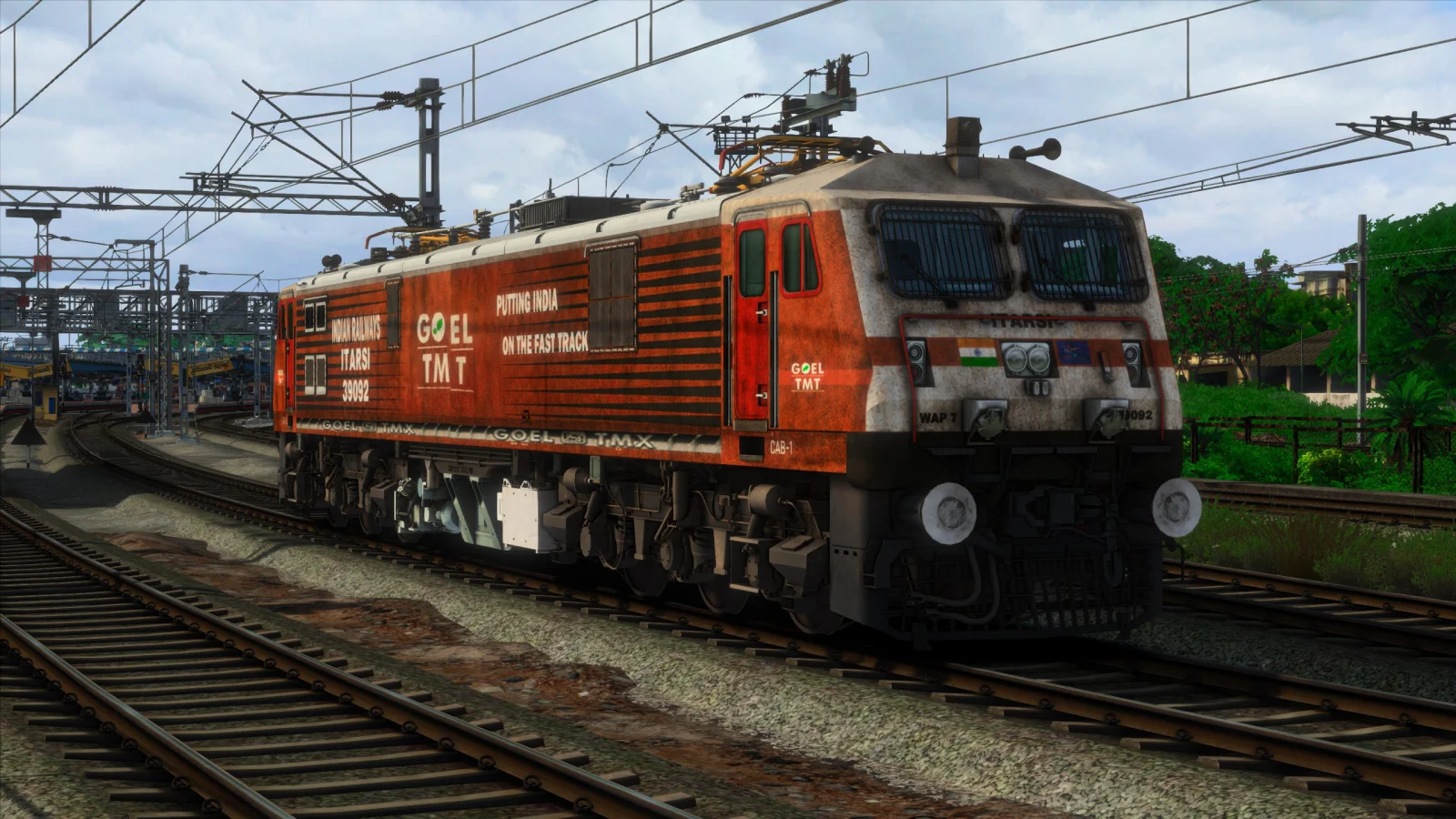
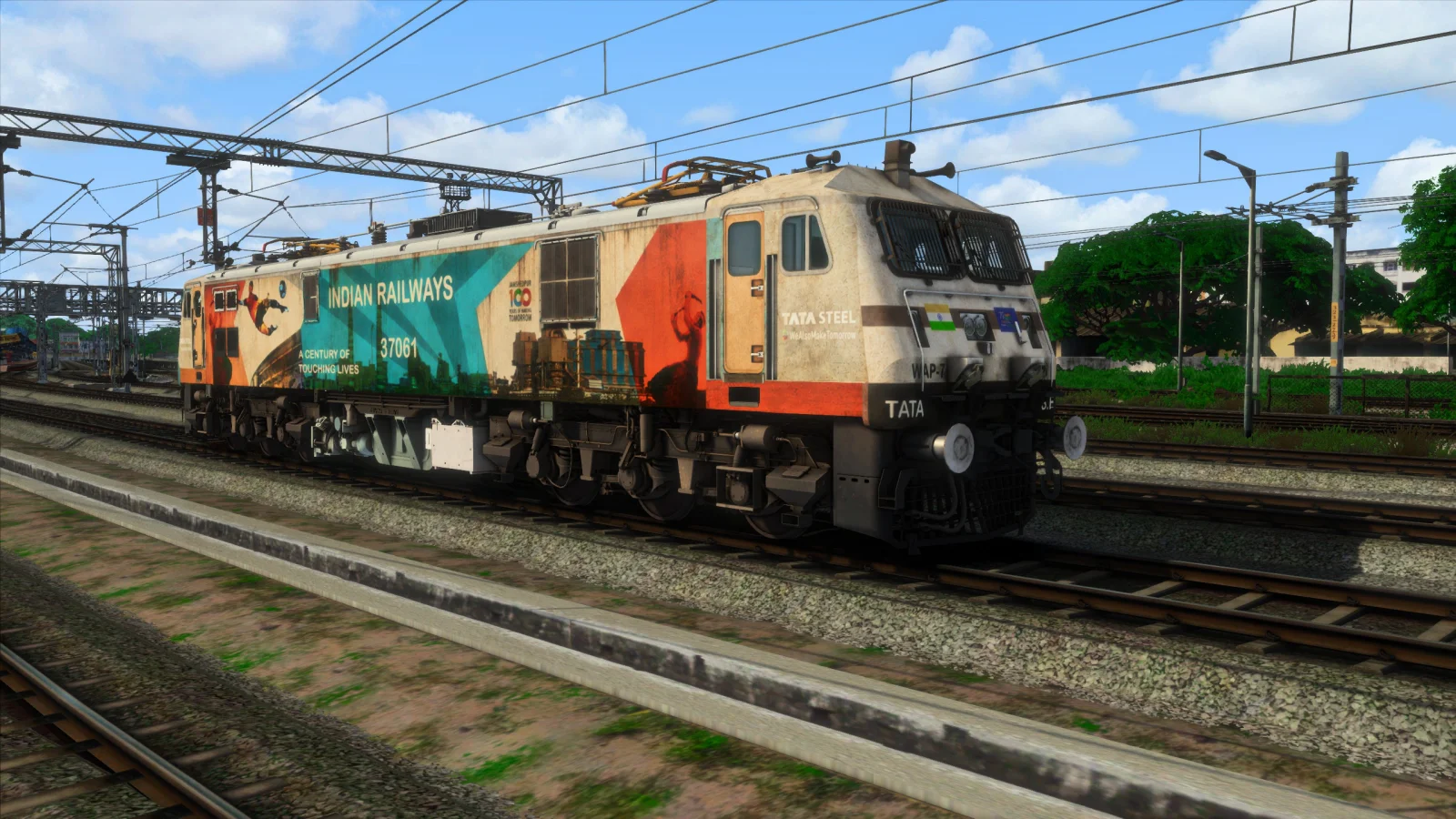
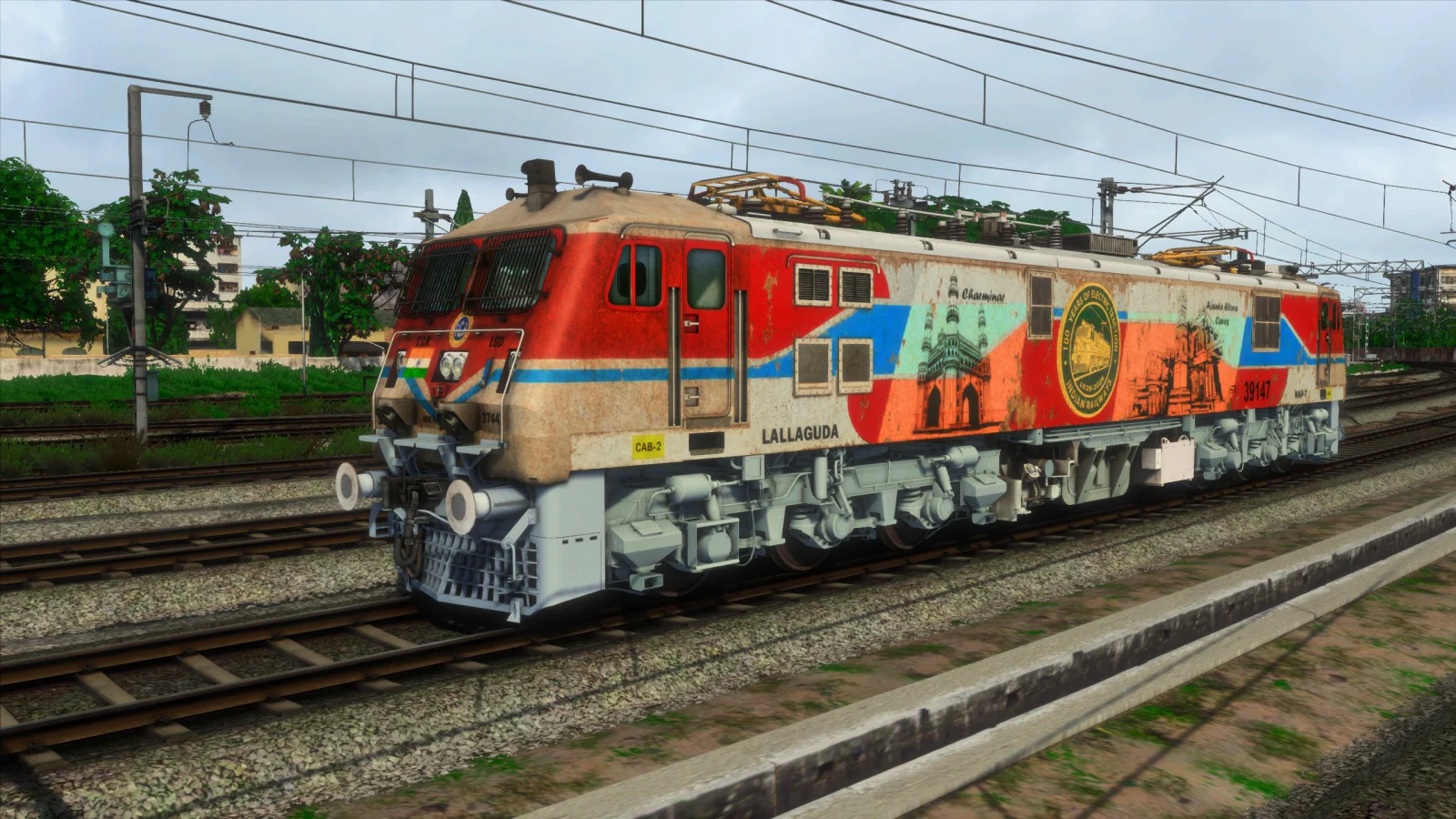
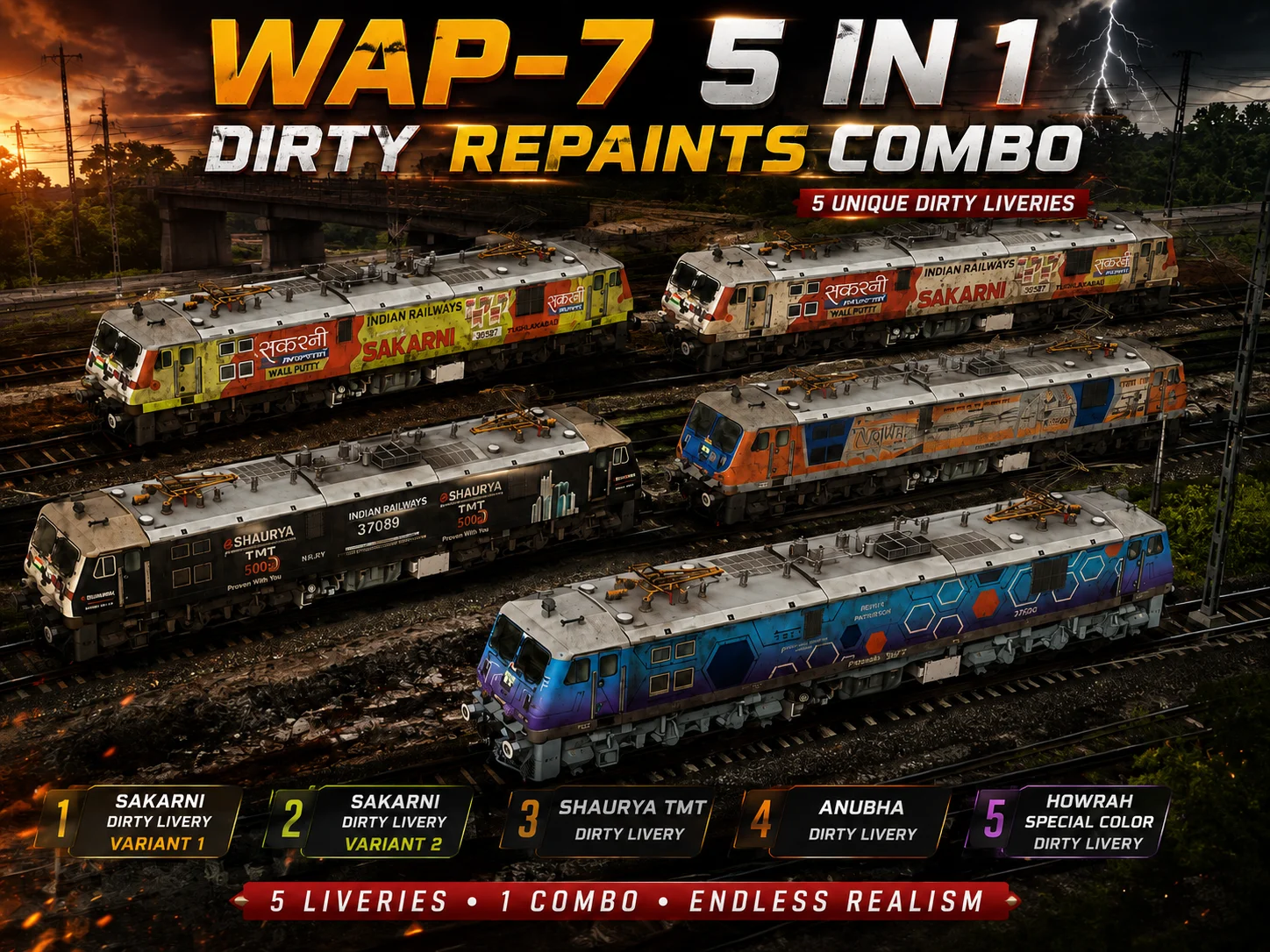
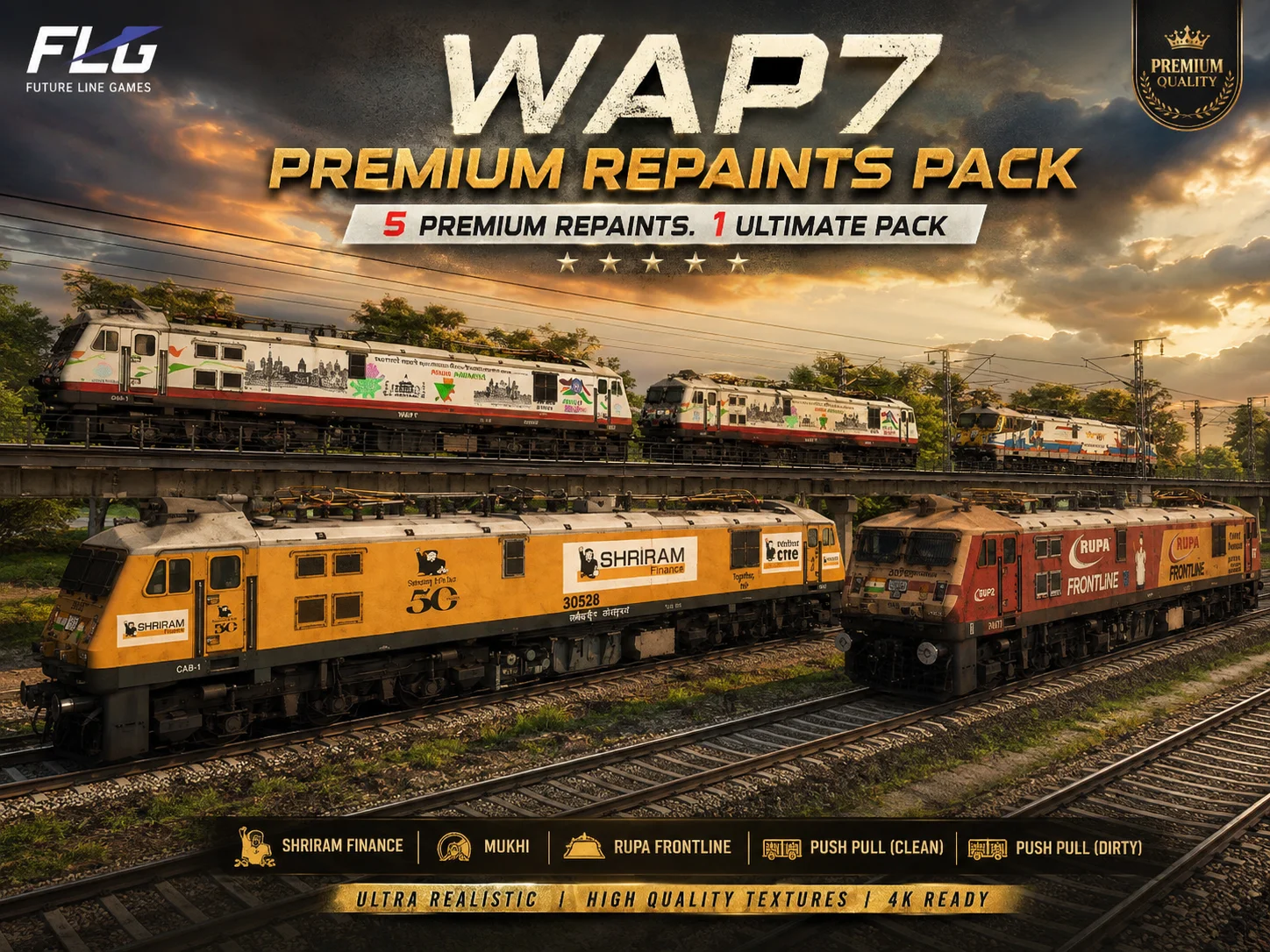
Take your Train Simulator Classic experience to the next level with the FLG WAP7 Premium Repaints Pack, featuring five premium locomotive variants designed for the FLG WAP7 add-on.
This pack includes realistic and detailed repaints inspired by popular commercial liveries and operating styles, giving your scenarios more variety and realism.
Included Repaints
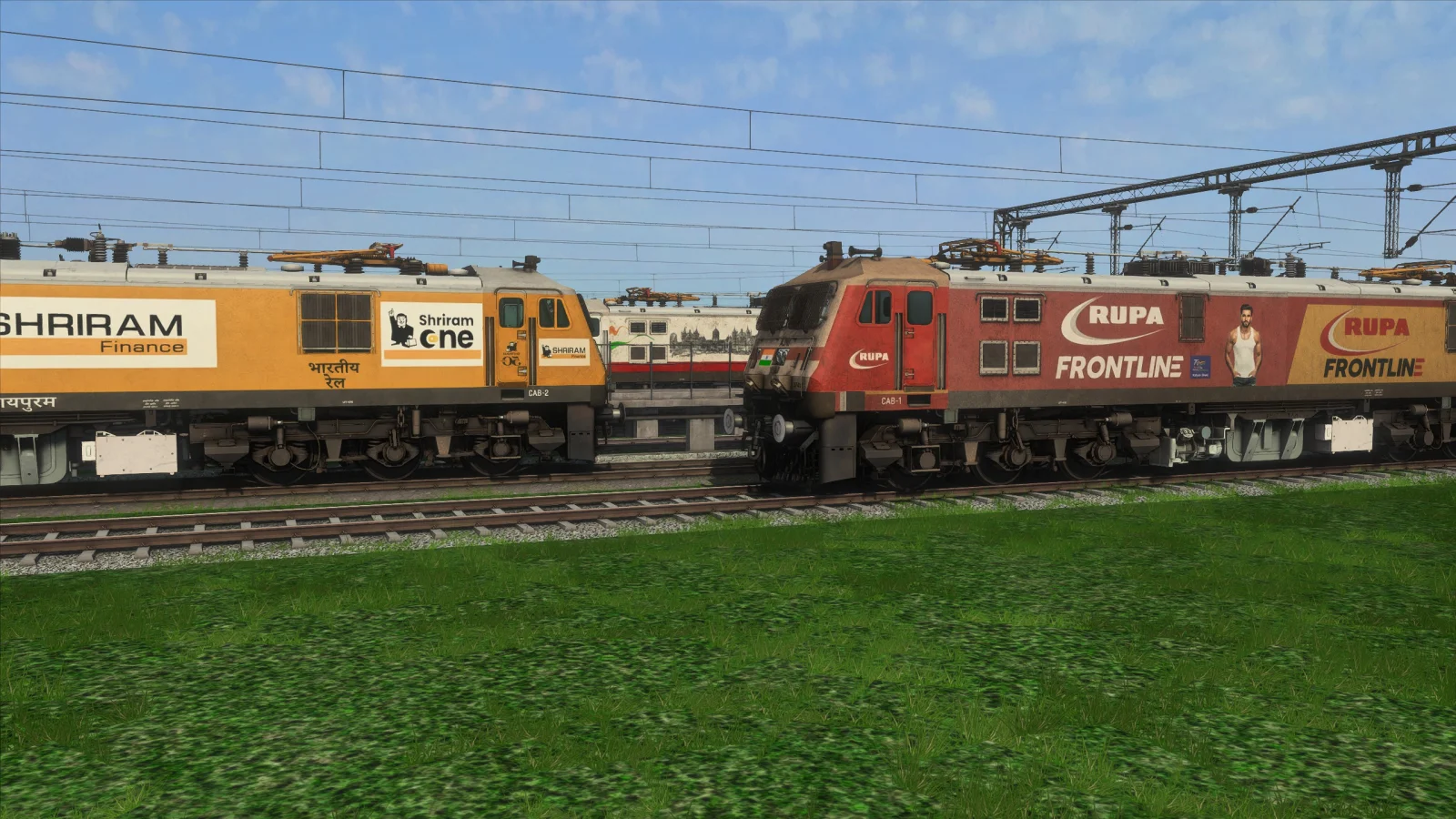
Shriram Finance – Premium Shriram Finance livery.
Mukhi – Premium Mukhi livery.
Rupa Frontline – Premium Rupa Frontline livery.
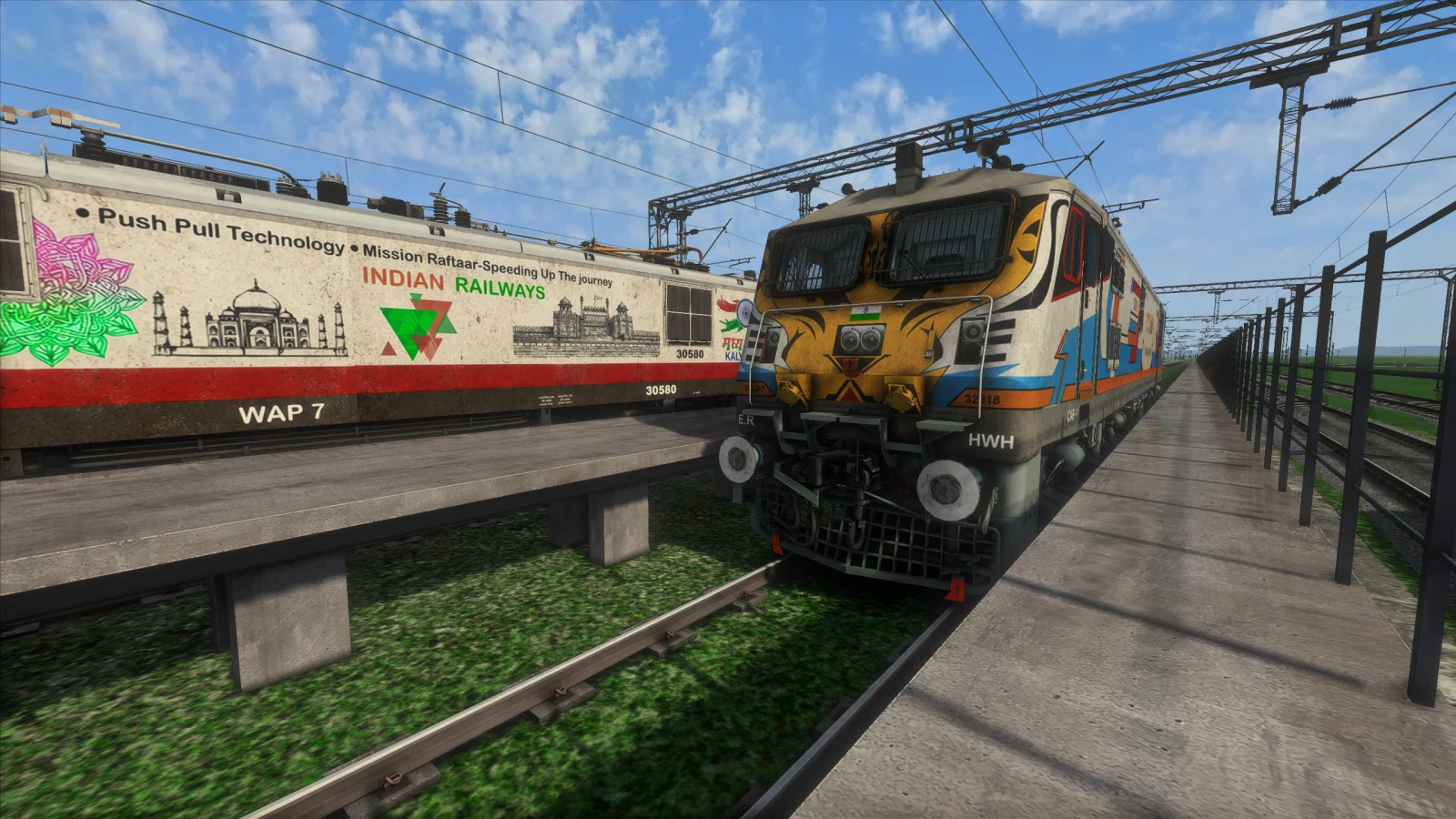
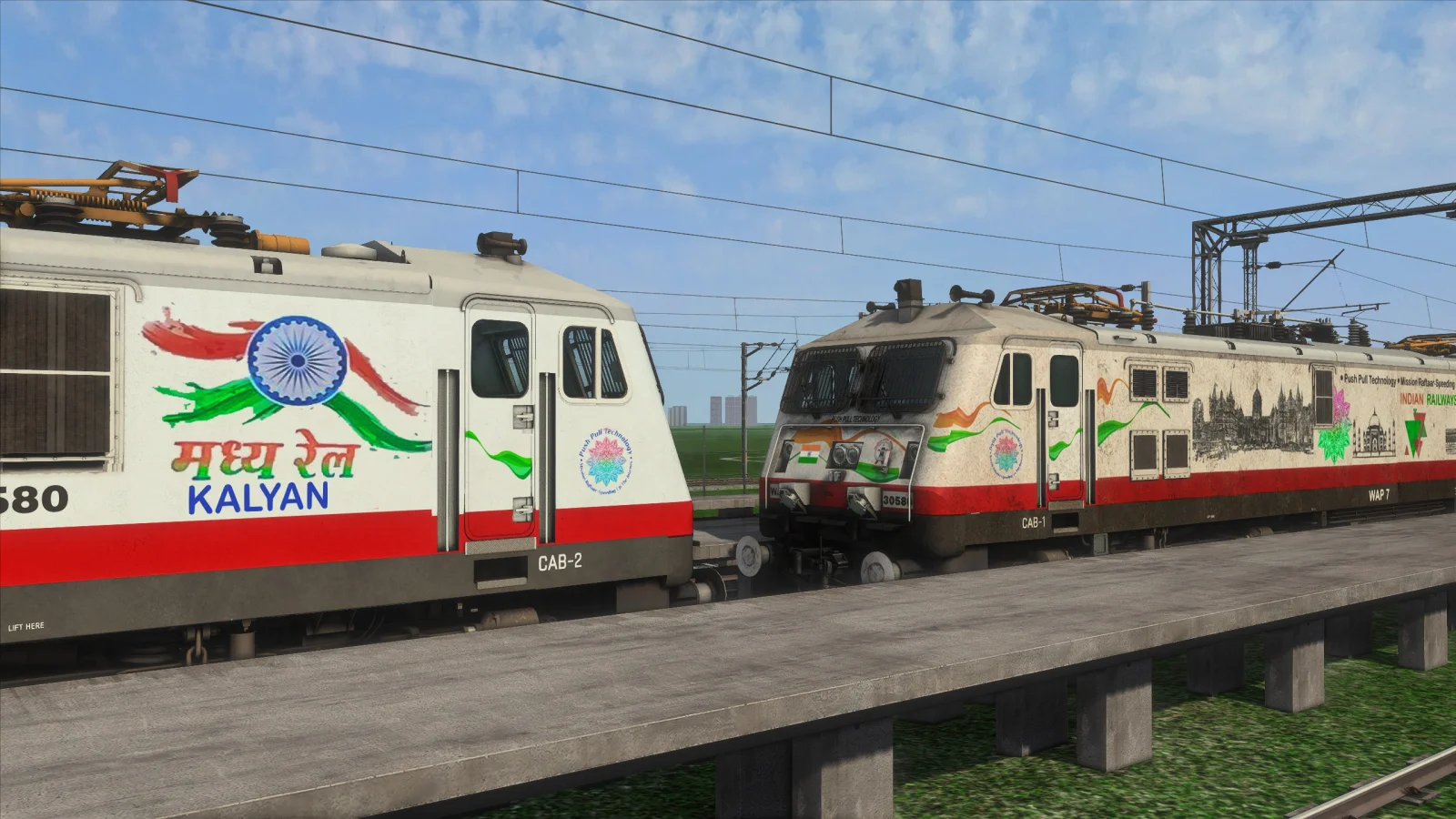
Push & Pull – Clean – Clean Push & Pull version.
Push & Pull – Dirty – Weathered and dirty Push & Pull version.
What You Get
With this pack, you receive all five premium FLG WAP7 repaint variants in one package. These repaints are made to add more visual variety to your Indian railway scenarios and screenshots while retaining the original locomotive functionality of the FLG WAP7 add-on.
Installation & Access
After purchasing the product and once your order has been approved, the product will automatically appear in your SA Installer app.
Open the SA Installer app.
Locate the FLG WAP7 Premium Repaints Pack.
Install the product directly through the SA Installer app.
Once installation is complete, close the SA Installer app.
Open Train Simulator Classic.
To use the repaint, open or create a scenario and enter the scenario editor.
Select the desired FLG WAP7 locomotive in the scenario.
On the right-hand side, locate the locomotive name/identifier field. The existing locomotive name may begin with a letter or number such as Q, 5, 1, or 4.
Double-click the locomotive name/identifier field.
Remove the existing text completely.
Type only 0.
Press Enter.
The available FLG WAP7 repaints from this pack will then appear for selection.
Important: The repaint is accessed through the scenario editor. Make sure the required FLG WAP7 add-on is installed before attempting to use the repaints.
Requirements
You must have Train Simulator Classic, the required Indian add-ons, and the FLG WAP7 add-on pack installed on your system.
Note: This product is a repaint pack and does not replace the requirement for the original FLG WAP7 add-on.
Take your Train Simulator Classic experience to the next level with the FLG WAP7 Premium Repaints Pack, featuring five premium locomotive variants designed for the FLG WAP7 add-on.
This pack includes realistic and detailed repaints inspired by popular commercial liveries and operating styles, giving your scenarios more variety and realism.
Included Repaints
Shriram Finance – Premium Shriram Finance livery.
Mukhi – Premium Mukhi livery.
Rupa Frontline – Premium Rupa Frontline livery.
Push & Pull – Clean – Clean Push & Pull version.
Push & Pull – Dirty – Weathered and dirty Push & Pull version.
What You Get
With this pack, you receive all five premium FLG WAP7 repaint variants in one package. These repaints are made to add more visual variety to your Indian railway scenarios and screenshots while retaining the original locomotive functionality of the FLG WAP7 add-on.
Installation & Access
After purchasing the product and once your order has been approved, the product will automatically appear in your SA Installer app.
Open the SA Installer app.
Locate the FLG WAP7 Premium Repaints Pack.
Install the product directly through the SA Installer app.
Once installation is complete, close the SA Installer app.
Open Train Simulator Classic.
To use the repaint, open or create a scenario and enter the scenario editor.
Select the desired FLG WAP7 locomotive in the scenario.
On the right-hand side, locate the locomotive name/identifier field. The existing locomotive name may begin with a letter or number such as Q, 5, 1, or 4.
Double-click the locomotive name/identifier field.
Remove the existing text completely.
Type only 0.
Press Enter.
The available FLG WAP7 repaints from this pack will then appear for selection.
Important: The repaint is accessed through the scenario editor. Make sure the required FLG WAP7 add-on is installed before attempting to use the repaints.
Requirements
You must have Train Simulator Classic, the required Indian add-ons, and the FLG WAP7 add-on pack installed on your system.
Note: This product is a repaint pack and does not replace the requirement for the original FLG WAP7 add-on.
Key Features
- check_circle 5 premium FLG WAP7 repaint variants
- check_circle Shriram Finance premium repaint
- check_circle Mukhi premium repaint
- check_circle Rupa Frontline premium repaint
- check_circle Push & Pull clean version
- check_circle Push & Pull dirty/weathered version
- check_circle Designed for Train Simulator Classic
- check_circle Requires FLG WAP7 add-on pack
- check_circle Compatible with Indian railway scenarios
- check_circle Easy installation through SA Installer
- check_circle Automatic product delivery after purchase approval
- check_circle Detailed premium liveries for enhanced scenario variety
System Requirements
Train Simulator Classic (TSC) required
Required Indian railway add-ons installed
FLG WAP7 add-on pack required
Windows PC capable of running Train Simulator Classic
SA Installer app required for product installation
Internet connection required for product download through SA Installer
Required Indian railway add-ons installed
FLG WAP7 add-on pack required
Windows PC capable of running Train Simulator Classic
SA Installer app required for product installation
Internet connection required for product download through SA Installer
Installation Guide
1. Purchase the FLG WAP7 Premium Repaints Pack.
2. Once your purchase has been approved, the product will automatically appear in your SA Installer app.
3. Open SA Installer and install the FLG WAP7 Premium Repaints Pack directly from the app.
4. After installation is complete, close the SA Installer app.
5. Open Train Simulator Classic and enter the Scenario Editor.
6. Open or create the scenario in which you want to use the FLG WAP7 repaint.
7. Select the desired FLG WAP7 locomotive.
8. On the right-hand side, locate the locomotive name/identifier field. The existing name may start with Q, 5, 1, 4, or another identifier.
9. Double-click the locomotive name/identifier field.
10. Remove everything currently written in that field.
11. Type only: 0
12. Press Enter.
13. The available FLG WAP7 repaints from the installed pack will now appear and can be selected.
IMPORTANT: You must already have the required FLG WAP7 add-on installed. Installing this repaint pack through SA Installer does not replace the original FLG WAP7 add-on.
If the repaints do not appear, make sure the FLG WAP7 add-on, required Indian add-ons, and the repaint pack are all installed correctly.
2. Once your purchase has been approved, the product will automatically appear in your SA Installer app.
3. Open SA Installer and install the FLG WAP7 Premium Repaints Pack directly from the app.
4. After installation is complete, close the SA Installer app.
5. Open Train Simulator Classic and enter the Scenario Editor.
6. Open or create the scenario in which you want to use the FLG WAP7 repaint.
7. Select the desired FLG WAP7 locomotive.
8. On the right-hand side, locate the locomotive name/identifier field. The existing name may start with Q, 5, 1, 4, or another identifier.
9. Double-click the locomotive name/identifier field.
10. Remove everything currently written in that field.
11. Type only: 0
12. Press Enter.
13. The available FLG WAP7 repaints from the installed pack will now appear and can be selected.
IMPORTANT: You must already have the required FLG WAP7 add-on installed. Installing this repaint pack through SA Installer does not replace the original FLG WAP7 add-on.
If the repaints do not appear, make sure the FLG WAP7 add-on, required Indian add-ons, and the repaint pack are all installed correctly.
Technical Specifications
Primary Platform
Train Simulator Classic
Category
Repaints
Subcategory
Electric Locomotives
Seller
AAJ SE GAMER
Developer Name
ASG
Product SKU
FLG-WAP7-PREMIUM-REPAINTS
Version Release
1.0.0
System Requirements
Train Simulator Classic (TSC) required
Required Indian railway add-ons installed
FLG WAP7 add-on pack required
Windows PC capable of running Train Simulator Classic
SA Installer app required for product installation
Internet connection required for product download through SA Installer
Required Indian railway add-ons installed
FLG WAP7 add-on pack required
Windows PC capable of running Train Simulator Classic
SA Installer app required for product installation
Internet connection required for product download through SA Installer
Installation Guide
1. Purchase the FLG WAP7 Premium Repaints Pack.
2. Once your purchase has been approved, the product will automatically appear in your SA Installer app.
3. Open SA Installer and install the FLG WAP7 Premium Repaints Pack directly from the app.
4. After installation is complete, close the SA Installer app.
5. Open Train Simulator Classic and enter the Scenario Editor.
6. Open or create the scenario in which you want to use the FLG WAP7 repaint.
7. Select the desired FLG WAP7 locomotive.
8. On the right-hand side, locate the locomotive name/identifier field. The existing name may start with Q, 5, 1, 4, or another identifier.
9. Double-click the locomotive name/identifier field.
10. Remove everything currently written in that field.
11. Type only: 0
12. Press Enter.
13. The available FLG WAP7 repaints from the installed pack will now appear and can be selected.
IMPORTANT: You must already have the required FLG WAP7 add-on installed. Installing this repaint pack through SA Installer does not replace the original FLG WAP7 add-on.
If the repaints do not appear, make sure the FLG WAP7 add-on, required Indian add-ons, and the repaint pack are all installed correctly.
2. Once your purchase has been approved, the product will automatically appear in your SA Installer app.
3. Open SA Installer and install the FLG WAP7 Premium Repaints Pack directly from the app.
4. After installation is complete, close the SA Installer app.
5. Open Train Simulator Classic and enter the Scenario Editor.
6. Open or create the scenario in which you want to use the FLG WAP7 repaint.
7. Select the desired FLG WAP7 locomotive.
8. On the right-hand side, locate the locomotive name/identifier field. The existing name may start with Q, 5, 1, 4, or another identifier.
9. Double-click the locomotive name/identifier field.
10. Remove everything currently written in that field.
11. Type only: 0
12. Press Enter.
13. The available FLG WAP7 repaints from the installed pack will now appear and can be selected.
IMPORTANT: You must already have the required FLG WAP7 add-on installed. Installing this repaint pack through SA Installer does not replace the original FLG WAP7 add-on.
If the repaints do not appear, make sure the FLG WAP7 add-on, required Indian add-ons, and the repaint pack are all installed correctly.
5.0
★★★★★
0 Reviews
Loading reviews…
System Compatibility
check_circle
Train Simulator Classic
Listed platform
Train Simulator Classic (TSC) required
Required Indian railway add-ons installed
FLG WAP7 add-on pack required
Windows PC capable of running Train Simulator Classic
SA Installer app required for product installation
Internet connection required for product download through SA Installer
Installation Guide
1. Purchase the FLG WAP7 Premium Repaints Pack.
2. Once your purchase has been approved, the product will automatically appear in your SA Installer app.
3. Open SA Installer and install the FLG WAP7 Premium Repaints Pack directly from the app.
4. After installation is complete, close the SA Installer app.
5. Open Train Simulator Classic and enter the Scenario Editor.
6. Open or create the scenario in which you want to use the FLG WAP7 repaint.
7. Select the desired FLG WAP7 locomotive.
8. On the right-hand side, locate the locomotive name/identifier field. The existing name may start with Q, 5, 1, 4, or another identifier.
9. Double-click the locomotive name/identifier field.
10. Remove everything currently written in that field.
11. Type only: 0
12. Press Enter.
13. The available FLG WAP7 repaints from the installed pack will now appear and can be selected.
IMPORTANT: You must already have the required FLG WAP7 add-on installed. Installing this repaint pack through SA Installer does not replace the original FLG WAP7 add-on.
If the repaints do not appear, make sure the FLG WAP7 add-on, required Indian add-ons, and the repaint pack are all installed correctly.
2. Once your purchase has been approved, the product will automatically appear in your SA Installer app.
3. Open SA Installer and install the FLG WAP7 Premium Repaints Pack directly from the app.
4. After installation is complete, close the SA Installer app.
5. Open Train Simulator Classic and enter the Scenario Editor.
6. Open or create the scenario in which you want to use the FLG WAP7 repaint.
7. Select the desired FLG WAP7 locomotive.
8. On the right-hand side, locate the locomotive name/identifier field. The existing name may start with Q, 5, 1, 4, or another identifier.
9. Double-click the locomotive name/identifier field.
10. Remove everything currently written in that field.
11. Type only: 0
12. Press Enter.
13. The available FLG WAP7 repaints from the installed pack will now appear and can be selected.
IMPORTANT: You must already have the required FLG WAP7 add-on installed. Installing this repaint pack through SA Installer does not replace the original FLG WAP7 add-on.
If the repaints do not appear, make sure the FLG WAP7 add-on, required Indian add-ons, and the repaint pack are all installed correctly.
In Stock - Instant Download
FLG WAP 7 PREMIUM REPAINTS PACK
- reviews
by AAJ SE GAMER
₹180
One license per account
palette Custom Addon
hd High Definition
file_download Digital Delivery
verified_user Lifetime Updates
lock Secure UPI / QR Payment
Download link delivered within 10 - 30 mins of payment verification